
Serendipity Blackmagic / Megarip / Veripress version 6.0+ include computer operating system integration, adding contextual (right-click) menu options for submitting files to the Serendipity Client.
Submitting Files
On any computer running the Serendipity Client, select one or more files, then right-click.
The following options are available from the (Windows) File Explorer or (Mac OS X) Finder > Services contextual menu:
- Submit Asset (Serendipity Client) – Submits the selected files as Assets for use in Studio.
- Submit (Serendipity Client) – Send the selected files to the Server for processing. A Submit window will pop-up to select the Pagesetup/Media/Jobticket combination to be used.
- Preview (Serendipity Client) – Open the selected file as a preview using the SoftProof application.
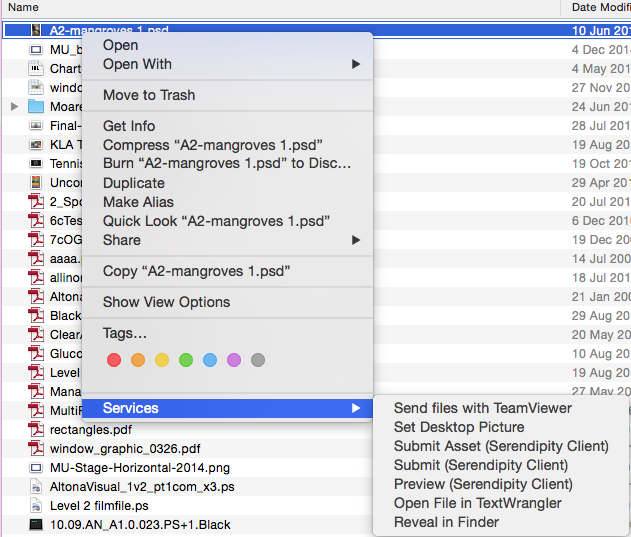
(Mac OS X) Finder Menu > Services
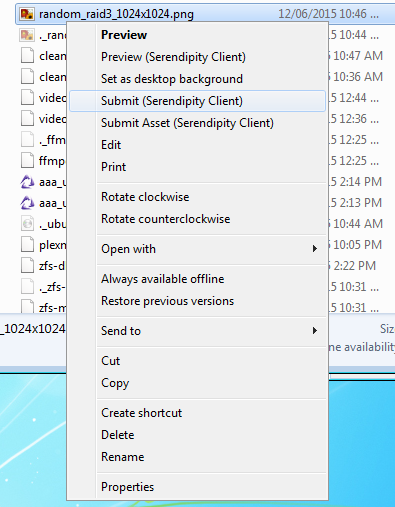
(Windows) File Explorer Menu
The following options are also available from the (Windows) File Explorer, (Mac OS X) Finder or (Linux) File Explorer contextual menus:
- Open With > Serendipity Client – Opens the selected file as a preview using the SoftProof application.
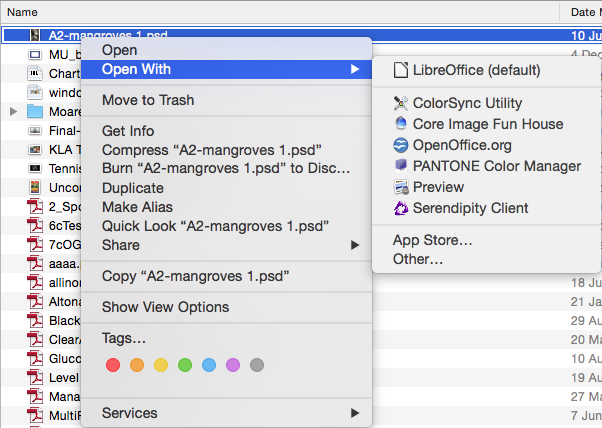
(Mac OS X) Finder Menu > Open with
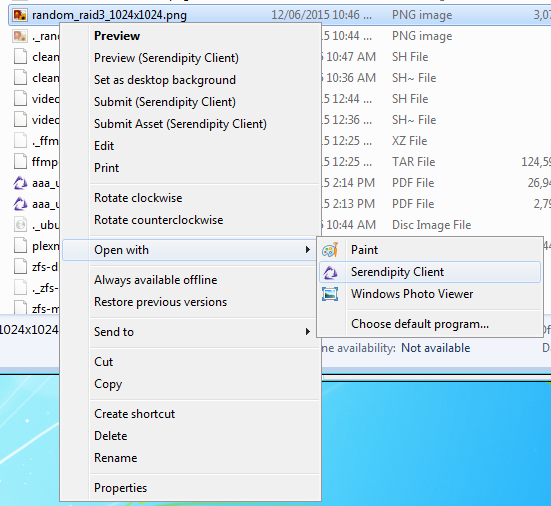
(Windows) File Explorer Menu > Open with
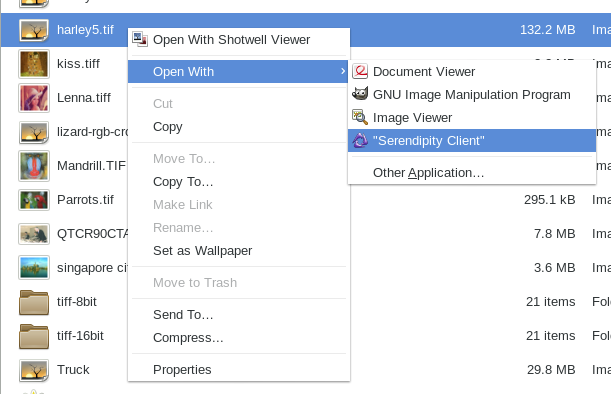
(Linux) Explorer menu > Open with