
Serendipity Blackmagic / Megarip / Veripress users with Sentinel dongles may encounter the following messages when starting the Blackmagic / Megarip / Veripress Server immediately after software installation or after a macOS 10.13.x or 10.14.x Security Update:
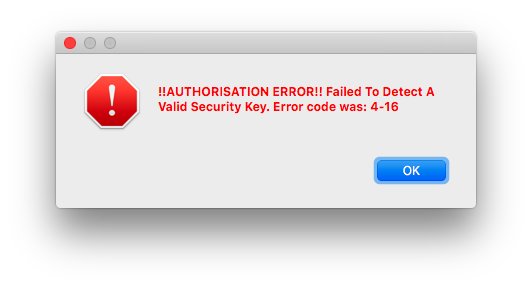
- After a fresh install or a macOS Security Update, this message may pop-up when starting the Server.
- This message pop-up may appear after a macOS 10.13.x or 10.14.x Security Update.

In both instances error and/or message is generated due to macOS revoking the Sentinel System [dongle] Driver third-party app load permissions.
Note – it is assumed that Sentinel Dongle users have previously installed the required Sentinel System Driver 7.5.4 package
To fix the issue:
- click the Open Security Preferences button in the ‘System Extension Blocked’ message above.
- or, open macOS > System Preferences > Security and Privacy > General tab, a ‘System software from developer “SFNT Germany GmbH” was blocked from loading.’ notification will be displayed in the Allow app downloaded from: panel.

- Click the lock to make changes to the Security & Privacy settings

- Click the Allow button to give the Sentinel Dongle driver loading permission.
- Then click the Restart button in the ‘Enabling this system software requires a restart’ pop-up dialog.
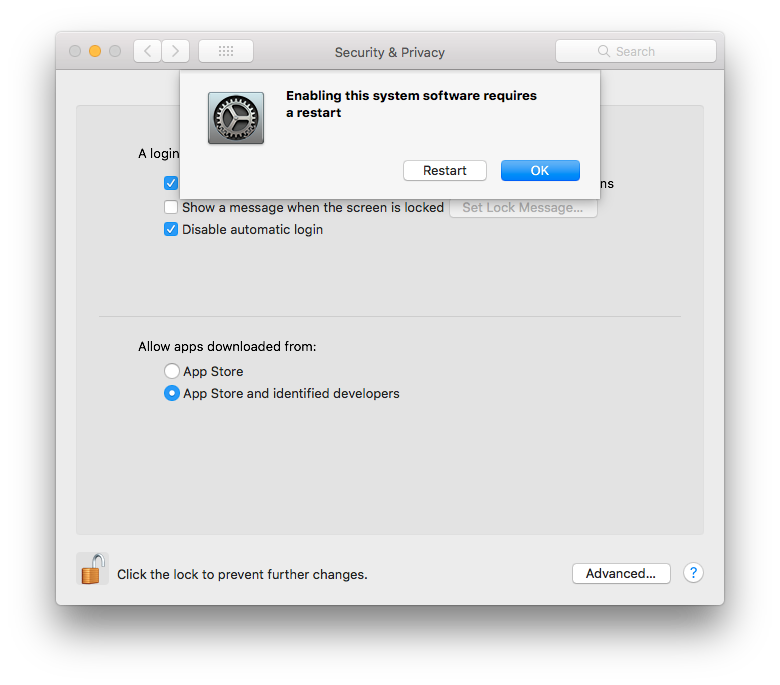
MacOS will then restart.
When the machine is up and running again, the Sentinel Dongle will be recognised and the Blackmagic / Megarip / Veripress Server should start up normally.