
To enable Include Job Colours:
- Open the Workbench application
- Select the Jobticket to be used to verify job special colours.
- Select the Jobticket > Colour Management tab > Verify panel.
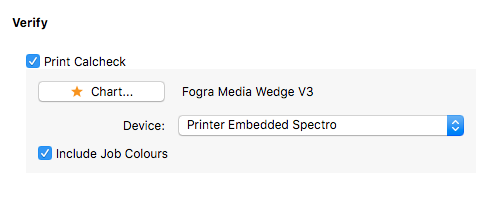
- If not already active, tick the Print Calcheck option, select a Device, then choose the Calcheck Chart to be printed with jobs submitted through the Jobticket.
- Tick the Include Job Colours option.
- Save the Jobticket.

For job special / spot colours to be included with the Calcheck chart:
- The spot colours must be in the Special Colour set used to process the job.
- Spot colour values must be defined in the same colour space as that used for the Calcheck Chart. Only Lab spot colours will be added to an Lab chart. Only CMYK colours will be added to a CMYK chart.